
01
On-location calendar
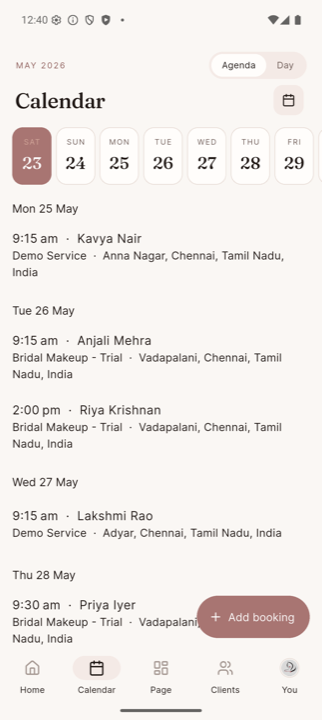
Variable-length appointments. Auto travel buffers. Real conflict checks — never double-book a Sunday again.
WhatsApp bookings, Instagram DMs, the sticky-note pricing, the Excel client list — all in one app, built for India's beauty professionals.
Free during launch · No credit card · First-batch invites are limited
What this looks like in your hand
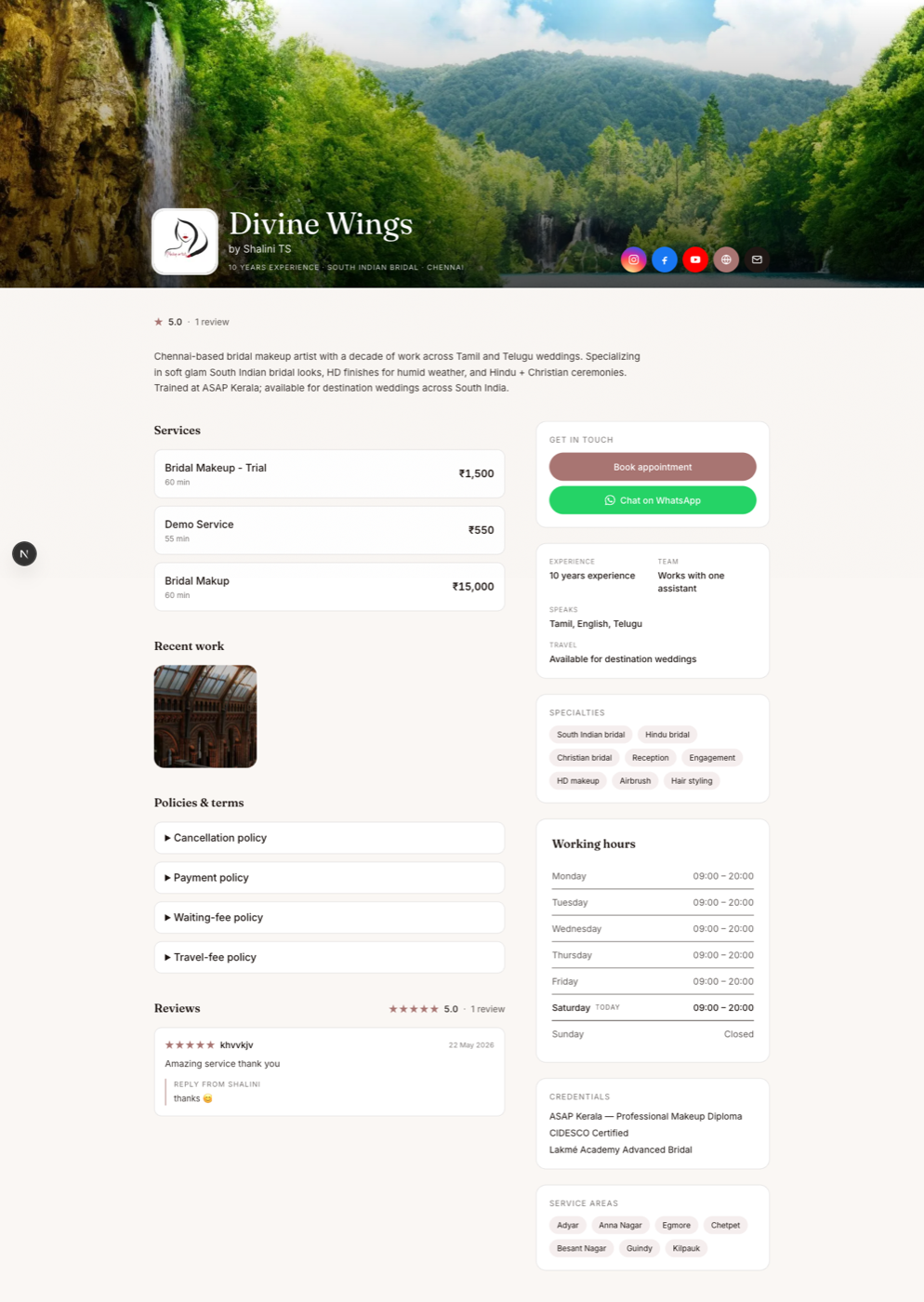
Right now your "website" is a screenshot of your menu shared three different ways — WhatsApp, Instagram bio link, the Google Drive PDF from last Diwali. None of them current.
Your Saturday calendar is three WhatsApp threads, an Instagram DM, and a sticky note that says "Anjali — 4pm? maybe 5".
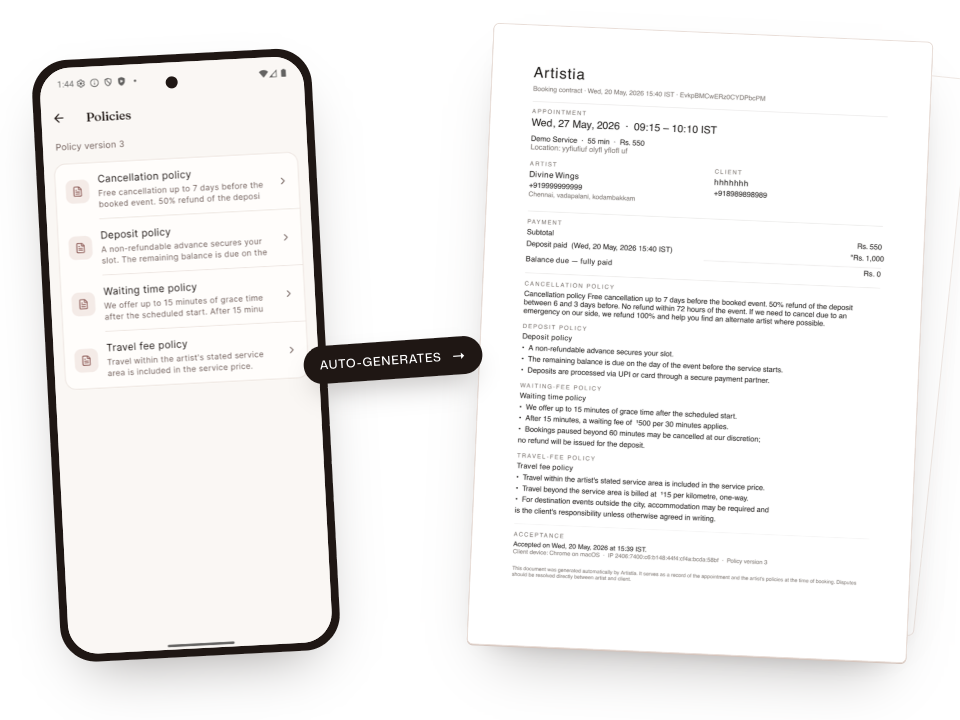
You wrote your cancellation rules in a WhatsApp note three years ago — no one signed it. When a bride cancels the week of, you eat the loss. Paper receipts, fading ink, no proof.
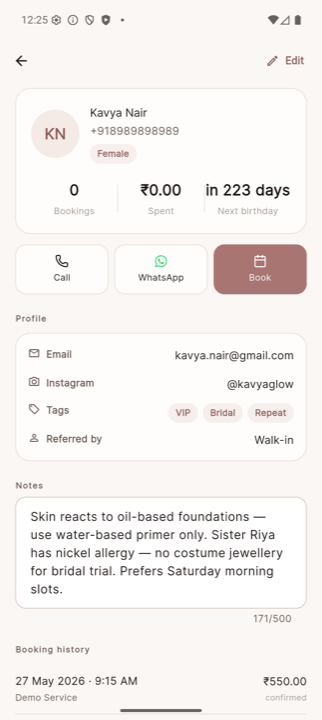
She mentioned a sister allergy at the trial. You can't remember which one. You wrote it down somewhere. You'll find it. Probably.
Mid-eyeliner on the bride. The aunt slides into the next chair — "just a quick blowout, ma?" You can't say no. You work for free. The bride is now late.
Forty times this month you've typed "Hi! Book your appointment here…" Same message, different bride. You've stopped re-reading it.
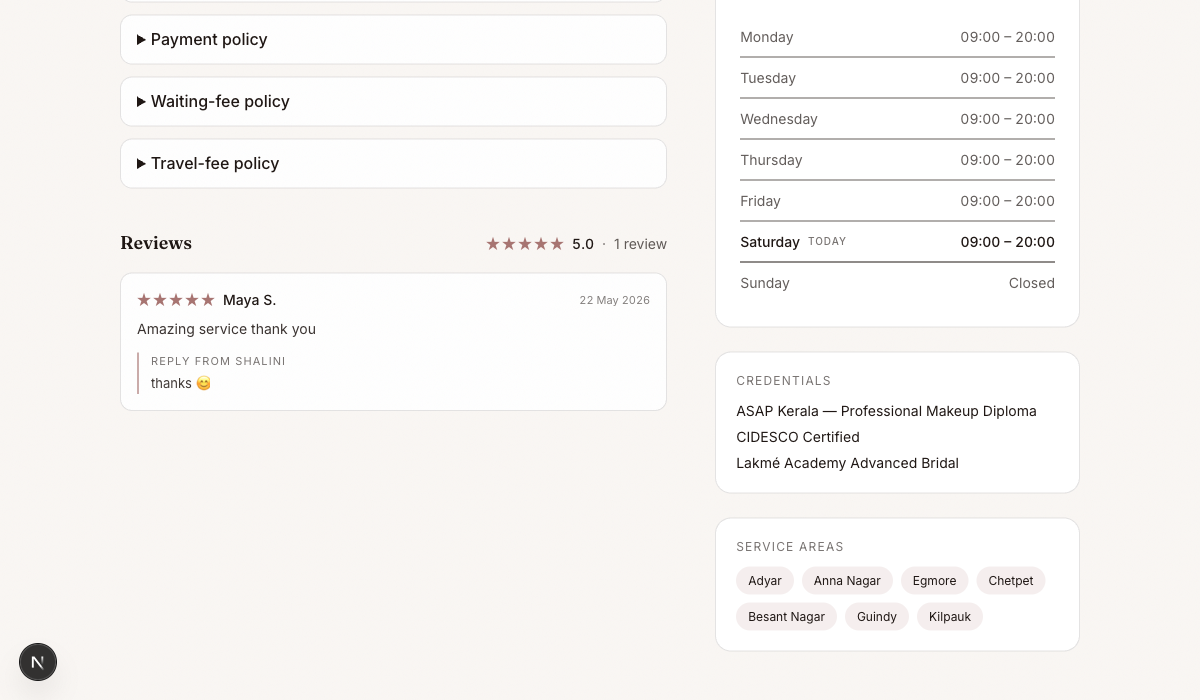
Your five-star reviews live in IMG_3847.png — a screenshot the bride sent on WhatsApp. The next prospective client never sees it.
More surfaces
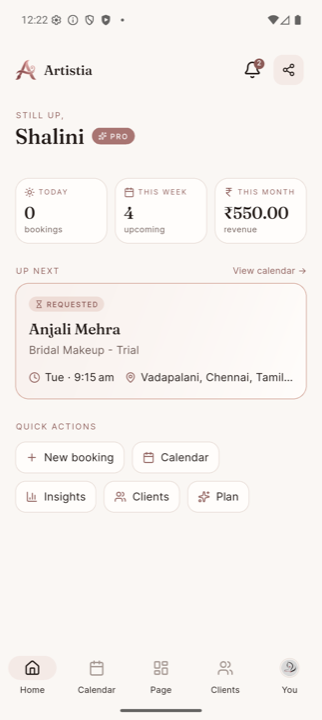
Home dashboard
Day open, week ahead, month-to-date revenue.
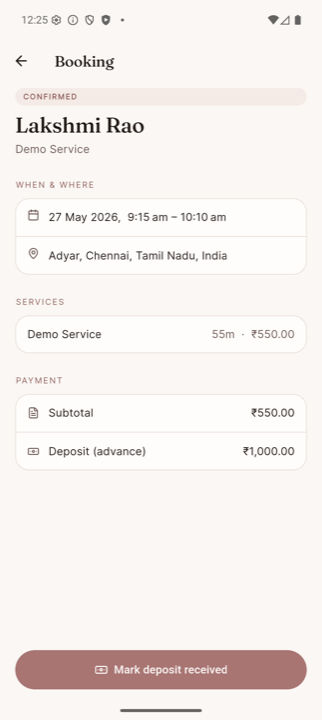
Booking detail
Every confirmed booking — when, where, services, payment status.
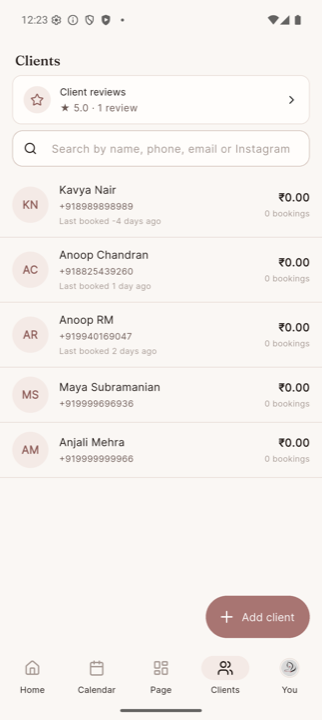
Clients directory
Phone-keyed list. Search by name, phone, email, or Instagram.
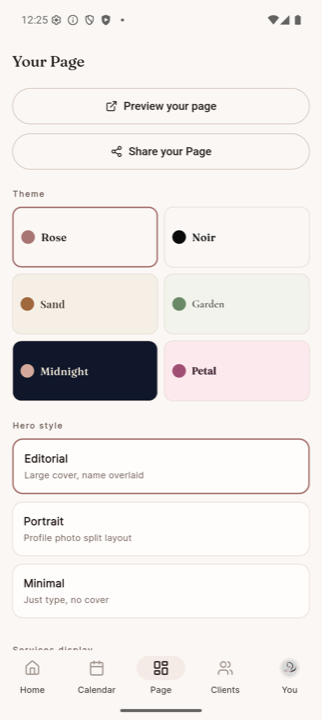
Page customization
Three themes, your hero style, custom tagline, gallery.
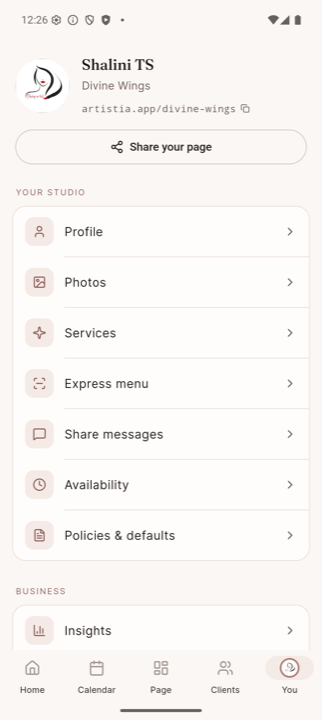
Your studio settings
Profile, services, availability, policies, photos, plan.
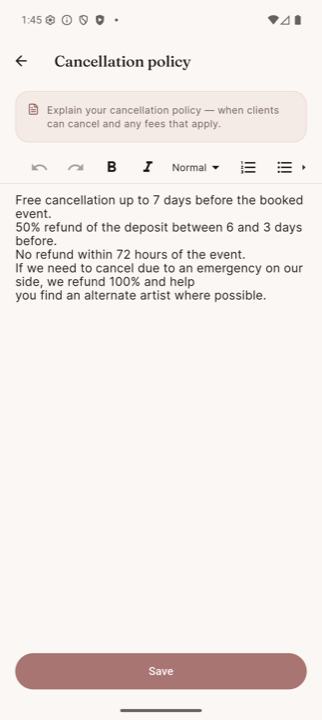
Policy editor
Markdown editor for cancellation, deposit, waiting fee, travel fee.
Built for the way you actually work
Variable-length appointments. Auto travel buffers. Real conflict checks — never double-book a Sunday again.
Every booking adds to the client's history — total spent, last booked, notes, allergies. Years from now, you'll still remember which brand made her break out.
Every confirmed booking generates a contract PDF that bundles the booking details (date, venue), every service and add-on with prices, and all four policies — cancellation, deposit, waiting fee, travel fee. The client accepts in one tap; the PDF is shareable on WhatsApp with IP + timestamp audit trail. Compliant with the IT Act §10A. No more screenshot disputes.
A lash lift on top of bridal. A hair touch-up after the styling. Set the price and time once; clients pick quantities at checkout and the deposit math follows automatically.
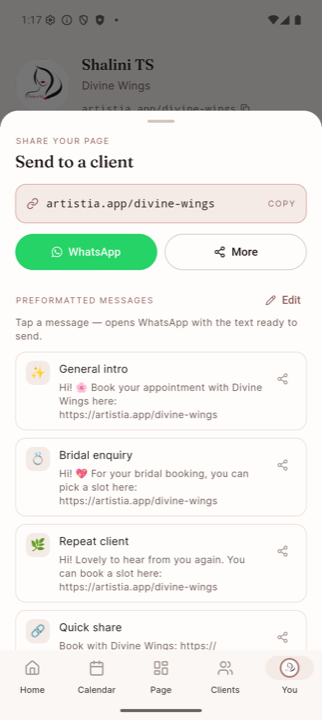
artistia.app/your-name. Tap "Share" and pick from pre-written WhatsApp messages — General intro, Bridal enquiry, Repeat client — each auto-filled with your name and link. Edit the templates or add your own. Clients pick a service, accept your policies, send a request — in under two minutes, no account required.
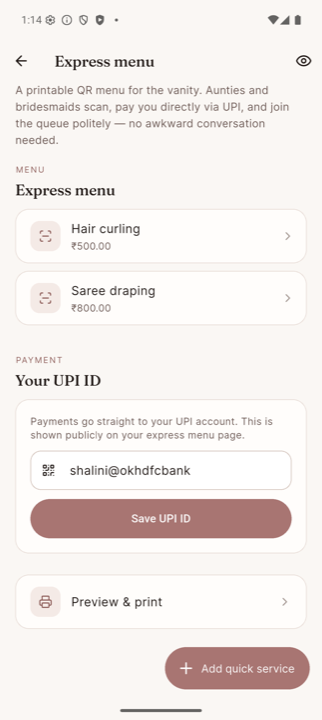
A printable QR on your mirror. When the aunt asks for "just a quick blowout" mid-bridal, you smile and say "scan the code, I'll fit you in." She picks the service, pays on UPI, and joins the queue. You don't have to be the one demanding ₹500.
Three setup steps
Name, duration, price. Set your travel buffer once. Done.
Drop your artistia.app link in your WhatsApp bio. Or tap "Share" and pick a ready-written message — Bridal enquiry, Repeat client, Quick share — and the right one goes out in two taps.
Booking requests land in your phone. Confirm or decline in a tap. Contract PDF goes out automatically; the client has it in writing before the day arrives.
Pricing
Everything you need to run your first few bookings a month.
For artists with a packed weekend calendar.
Questions, answered
We're onboarding the first batch of artists in private. Join the waitlist and we'll reach out personally — by name, on WhatsApp, with a one-on-one setup.
Anything that runs the latest WhatsApp will run Artistia. We test on phones up to four years old.
Directly — cash, UPI, bank transfer, your call. Artistia handles the booking, contract, and reminders to you; the money moves between you and the client. Online deposit collection is on the roadmap for a later release.
Nothing changes for them on day one. You can add them to your CRM whenever a new booking comes in. The booking link works with no signup.
No, and there won't be. Clients book through a regular web link they open in WhatsApp. No App Store, no friction.
Free up to 5 active bookings at a time. ₹499/month for Pro (unlimited bookings, custom URL, page themes + gallery). You can stay on Free indefinitely.
On Google Cloud's Mumbai region. We back it up nightly. You can export your bookings and clients to CSV whenever you want.
Invites are going out in waves through July and August. The earlier you join, the earlier we set you up — personally, over a call.